
On this page
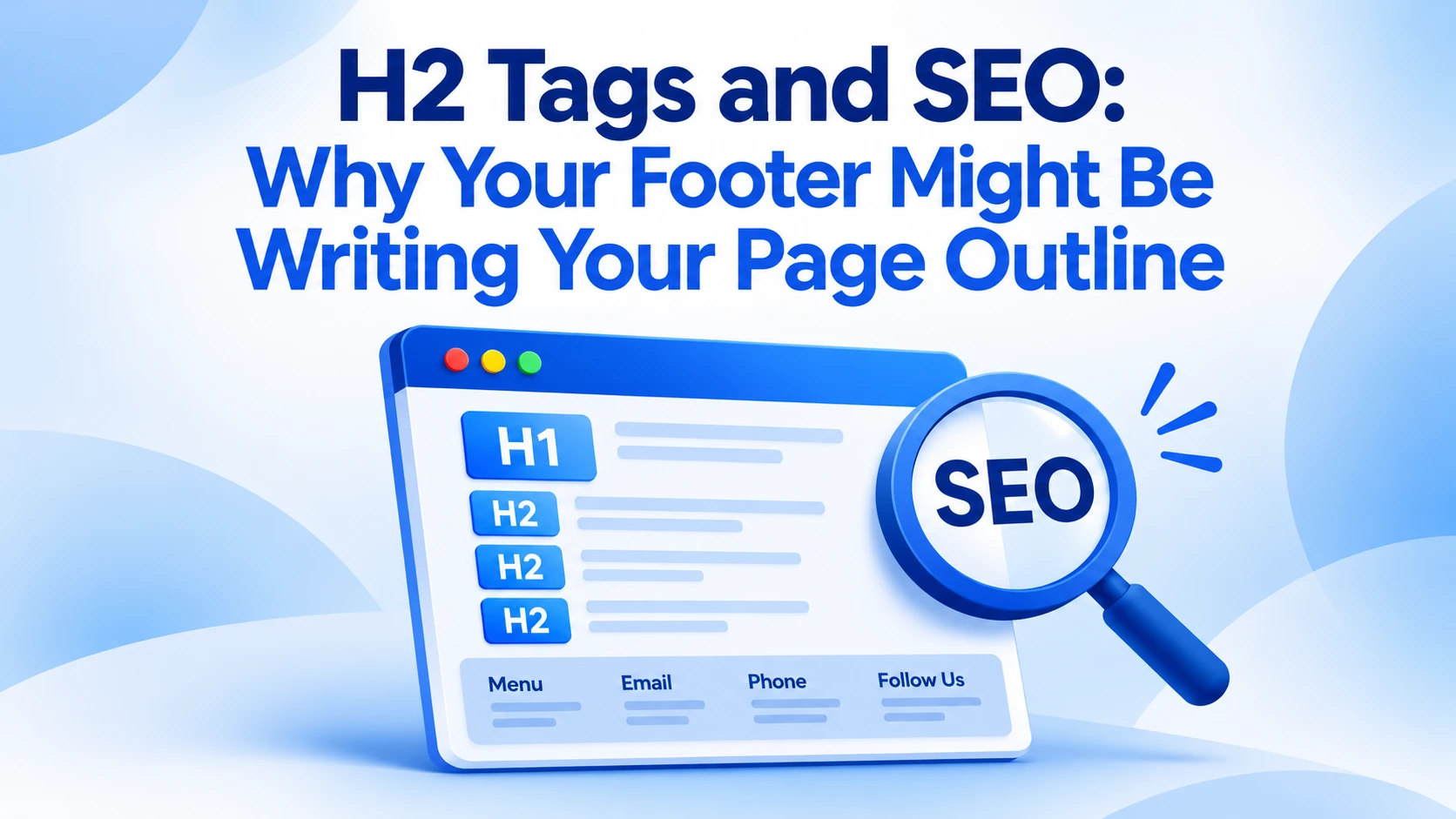
Open your homepage and list its headings in order. If half of your H2s say "Menu", "Email:" or "Follow us", your page is telling search engines a strange story.
We see this in audits all the time. We even found it on our own homepage: six of the eleven H2 tags were footer labels. It was an awkward, humbling and genuinely useful discovery.
The good news is that it's one of the quickest SEO fixes there is.
Why headings matter more than ever
Headings do three jobs at once.
They tell search engines what each section of a page is about. They help AI assistants pull out the right passage when they answer a question. And they let people using screen readers jump around the page, the same way other readers skim.
When the outline is full of footer labels, all three get worse. The page's real topics get diluted by "Quick links" and "Newsletter".
Where the footer H2 problem comes from
It is usually a theme default, not something anyone chose.
- On Shopify, Dawn and many themes built on it use H2 tags for footer column titles.
- On WordPress, many classic themes wrap every widget title in an H2 or H3, including footer and sidebar widgets.
- Page builders often default their heading widget to H2, so designers use it for any large text, labels included.
Each choice makes sense on its own. Together they turn the page outline into a jumble of real content and navigation labels.
Check your outline in 30 seconds
Open the page, open your browser's developer tools, go to the Console tab and paste this:
document.querySelectorAll('h1,h2,h3,h4').forEach(h => console.log(h.tagName, '|', h.textContent.trim()))You get every heading, in order. A browser extension such as HeadingsMap shows the same thing as a tree.
Read the list as if it were a table of contents. Would a stranger know what your business does?
What a good outline looks like
- One H1 that says what the page is about, in plain words.
- H2s for the main sections, such as services, proof, process and FAQs.
- H3s only for sub-points inside an H2 section.
- No skipped levels, so no H2 followed straight by an H4.
- Headings that describe rather than tease. "Shopify development" beats "What we do".
Visual size and heading level are separate things. A footer title can look bold and large while being plain text underneath.
How to fix it on Shopify
Open the theme code and find the footer section, usually sections/footer.liquid. Change the footer title tags from h2 to p (or div) and keep the same class names. The styling stays exactly as it was; only the meaning changes.
Do the same for any section headings used as labels, such as small eyebrow text above a real heading. Then rename vague section headings like "Featured collection" to something that describes the products.
Work on a duplicate theme, preview it, then publish.
How to fix it on WordPress
For block themes, edit the footer template part in the Site Editor and turn label headings into paragraphs styled to match.
For classic themes, widget titles come from the theme's sidebar settings. In a child theme, re-register the footer sidebars with before_title and after_title set to a p or div instead of an h2.
In Elementor and similar builders, every heading widget has an HTML tag setting. Use H2 only for real sections and set label-style text to p or div.
Headings for AI search
AI assistants lift passages that answer a question directly, and headings help them find those passages.
Where it fits, phrase an H2 as the question your customer would ask, then answer it in the first sentence below. "How long does a Shopify migration take?" followed by a straight answer is far easier to quote than a clever heading followed by a story.
For the bigger picture, see our guide to showing up in AI search with a reference page. Part two of our own homepage audit covers the Organization schema we were missing.
The bottom line
Your headings are a table of contents for search engines, AI tools and people in a hurry. Give them your real story.
Your page has one story to tell. Don't let the footer tell it.
Bit Aura runs on-page SEO audits and fixes for Shopify and WordPress sites. Ask us to check yours.
Frequently asked questions
Can a page have more than one H1?
HTML allows it, but one clear H1 is still the simplest signal for readers and search engines.
Should footer titles be headings at all?
Usually not. They are navigation labels, not content sections.
Will fixing headings change rankings overnight?
No. It removes noise and makes the page easier to understand. Think of it as cleaning the lens, not buying a new camera.
Related services
Want us to check your headings?
Tell us what you are planning and we will point you to the right next step. No pressure.